

Creating a video essay can seem intimidating at first, but it doesn’t have to be. In this 2026 easy guide, I’ll show you exactly how to make a video essay like a pro, step by step. Whether you’re a student, a YouTuber, or just someone who loves storytelling, this guide will help you plan, craft, and polish engaging video essays that grab attention and keep viewers hooked. Plus, with tools like PDF to Video, you can turn your scripts into ready-to-edit video sequences in minutes, saving time and effort while maintaining professional quality.
What is a video essay
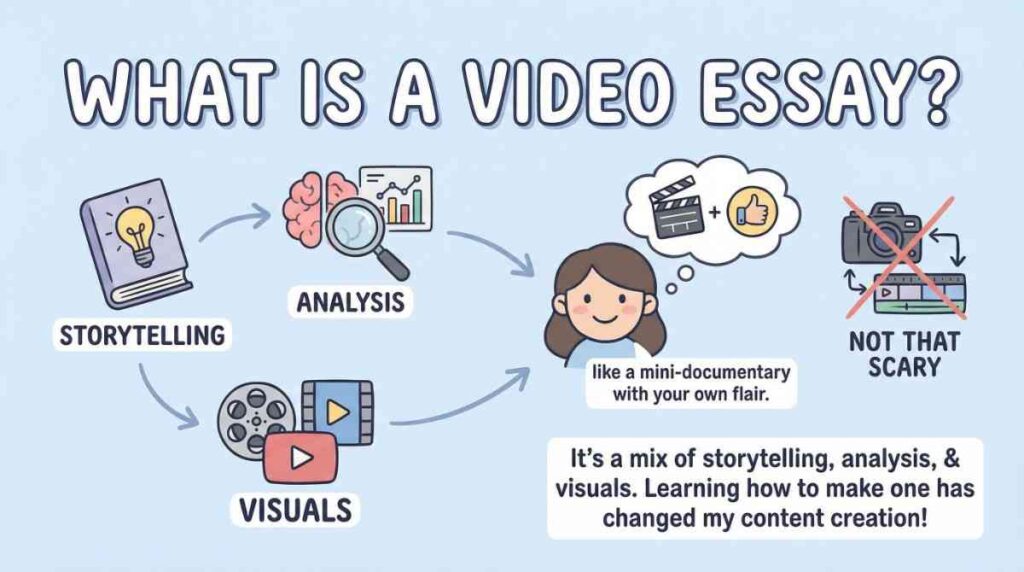
When I first heard the term video essay, I thought, “Cool, but that sounds complicated.” Like most creators, I assumed I’d need hours of editing, a fancy camera setup, and some secret Hollywood magic. Turns out, it’s not that scary. A video essay is essentially a mix of storytelling, analysis, and visuals—like a mini-documentary but with your own flair. And honestly, learning how to make a video essay has changed the way I approach content creation.
How to make a video essay
More creators are hopping on the video essay train every year. From students dissecting Shakespeare to YouTubers analyzing movies or games, the format is powerful. Why? It’s engaging, easy to digest, and allows for a mix of voice, visuals, and text. People don’t just want to read anymore—they want to experience your ideas in motion. I personally fell in love with the format when I saw a friend turn a 10-page script into a 5-minute cinematic video essay. I thought, “I need to do this too.”
The goal of this guide is to show you exactly how to make a video essay efficiently and professionally. I’ll walk you through the basics, planning, tools, crafting techniques, and sharing strategies. And yes, I’ll even share how PDF to Video has made the process ridiculously simple for me—turning long scripts into ready-to-edit videos without the headache of starting from scratch.
By the end, you’ll have a clear roadmap to create compelling, polished video essays, whether you’re a student, a creator, or someone who just loves storytelling.
Understanding the Basics of a Video Essay
Definition and Purpose – What is a Video Essay
So what exactly is a video essay? In simple terms, it’s a visual and auditory essay. You combine a voiceover, visuals, and sometimes music to communicate an idea or analyze a topic. Unlike traditional essays that live on a page, video essays let your audience see and hear your arguments. Think of it as storytelling with a purpose—you’re educating, entertaining, or persuading all at once.
For example, I once wanted to analyze a classic sci-fi movie. Writing it out on paper felt dry, but turning it into a video essay brought it to life. With clips, images, and my voice narrating insights, the video was not only easier to follow but also far more engaging. That’s the magic of video essays—they make content interactive and digestible.
Key Elements of a Good Video Essay
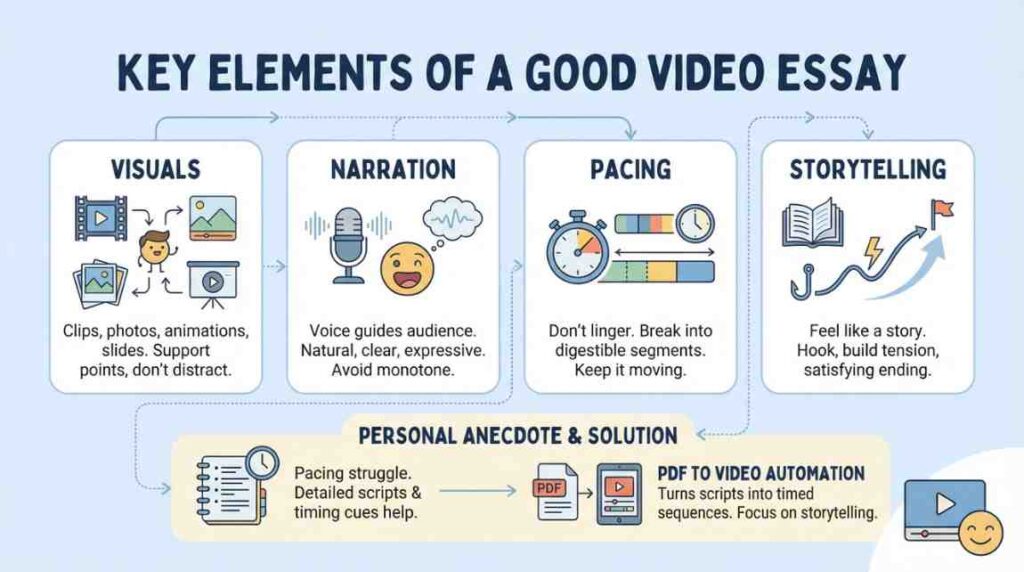
If you want to master how to make a video essay, you need to understand its essential components:
- Visuals – These can be clips, photos, animations, or even slides. Good visuals support your points rather than distract.
- Narration – Your voice guides the audience. Keep it natural, clear, and expressive. A monotone voice can kill the vibe.
- Pacing – Don’t linger too long on one point. Break your content into digestible segments.
- Storytelling – Yes, it’s an essay, but it should feel like a story. Hook the audience, build tension, and conclude with a satisfying ending.
When I first started, pacing was my biggest struggle. I would get so caught up in my analysis that the video dragged. Using a combination of bullet-point scripts and timing cues helped me stay on track. Eventually, I realized that PDF to Video could automate part of this—turning my detailed scripts into timed video sequences, letting me focus on storytelling and narration rather than formatting and alignment.
Common Mistakes to Avoid
Even seasoned creators trip up sometimes. Here are common pitfalls when learning how to make a good video essay:
- Overloading with text: Don’t just read a script verbatim on screen. Mix it up with visuals.
- Poor audio quality: Even the best visuals fall flat if your voiceover is hard to hear.
- Ignoring pacing: Long pauses or rushed sections make your audience lose focus.
- Weak conclusion: Every essay needs a strong ending. Wrap up your points clearly and memorably.
When I began experimenting, I made all of these mistakes. But using PDF to Video made a big difference—my long scripts could be broken into bite-sized visual segments, making pacing and clarity much easier to manage.
Planning Your Video Essay
Choosing a Topic
Picking a topic is probably the most exciting part. The best video essays are about subjects you’re passionate about. Think about your interests—movies, books, social issues, gaming, or even personal experiences. The key is to ask: Will my audience care? If you’re interested, chances are others will be too.
I once spent days planning a video essay about how early sci-fi films influenced modern storytelling. It was niche, but because I genuinely loved the subject, my enthusiasm translated to the final product. And yes, that energy keeps your audience glued. When planning, jot down 3–5 potential topics, then choose the one you can explain best with visuals and narration.
Research and Scriptwriting
Now comes the meat—research and scriptwriting. A good script is the backbone of your video essay. For me, the trick is to start broad and then drill down into details. I usually:
- Outline key points I want to cover.
- Gather visuals, quotes, and references.
- Write the narration in a casual, engaging tone.
This is where how to make video essays structured and clear really matters. A poorly organized script will make your video confusing, no matter how fancy your visuals are. Here’s my personal hack: I write my scripts in PDF format first. Why? Because it’s easy to review, annotate, and reorganize before committing to editing. And then I use PDF to Video to turn that polished PDF script into a preliminary video sequence. It’s a total time saver and keeps me organized.
Organizing Content for Smooth Flow
Once you have a script, it’s time to think about flow. Break your content into sections: introduction, main points, examples, and conclusion. This helps your audience follow your argument without feeling lost. A simple trick I use: each major point gets its own visual segment, timed to match my narration. This way, transitions feel natural, and the story unfolds logically.
I’ve tried doing this manually before, and let me tell you—it’s tedious. But with PDF to Video, I can automate timing and layout, which leaves me free to focus on voice tone, pauses, and emphasis. The result? A video essay that flows like a conversation rather than a lecture. Honestly, it’s a game-changer for anyone wondering how to make a video essay quickly without losing quality.
Tools and Techniques for Creating a Video Essay
Essential Software and Tools
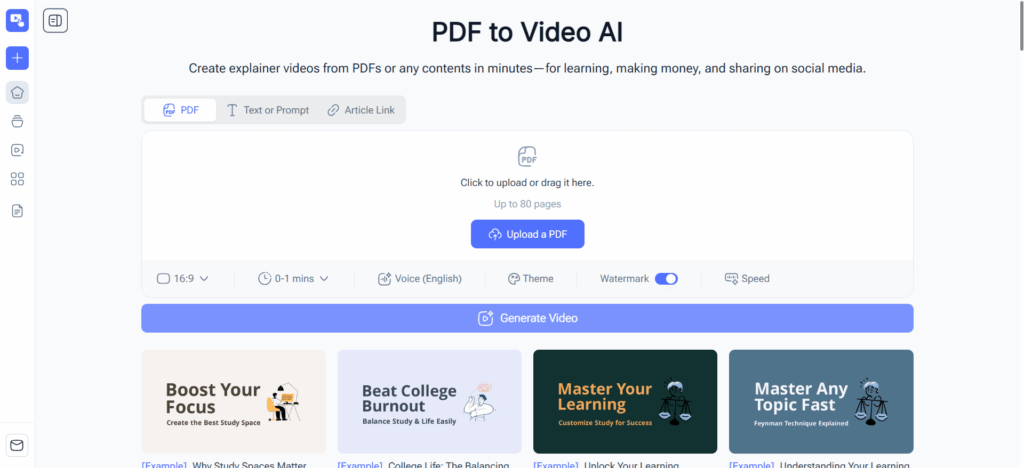
When you’re learning how to make a video essay, the first hurdle is often the tech. There’s no shortage of editing software—Premiere Pro, Final Cut, DaVinci Resolve, and more—but the real trick is finding tools that streamline your workflow. Personally, I’ve tried everything from heavy-duty editors to simple online solutions. What really saved me was discovering PDF to Video. Instead of dragging text, images, and timing cues manually, I could import my PDF script and instantly generate a rough video structure. It was like having a mini production assistant.
Other essentials include screen recording tools, stock footage libraries, and audio software. You don’t need to overcomplicate—start simple, get your ideas out, and refine later.
Recording and Editing Tips
Here’s the deal: visuals are half the battle, but editing is what separates good video essays from great ones. My top tips:
- Keep clips short and relevant.
- Match your visuals with narration timing.
- Use simple transitions; flashy effects often distract.
When I first tried syncing narration manually, it took hours. Using PDF to Video, timing was almost automatic. My text blocks turned into timed slides, leaving me free to focus on voice inflection, humor, and storytelling. Seriously, if you’re wondering how to make a video essay that feels professional without burning out, this is a lifesaver.
Adding Narration and Music
Narration breathes life into your video essay. Your voice is the bridge between your ideas and the audience. I learned the hard way that monotone narration kills engagement. My advice: read your script out loud multiple times, experiment with tone, and don’t be afraid to add personality.
Music and sound effects add depth but should complement, not overpower. Subtle background tracks can make transitions smoother and your video more immersive. Using PDF to Video, I can even pre-place suggested music cues based on the script sections—it’s like the video is pre-scored before I touch the final edits.
Crafting a Professional Video Essay
Visual Storytelling Techniques
Here’s where you get to flex your creative muscles. Visual storytelling is not just about showing pretty images—it’s about guiding the viewer through your argument. I like to treat each scene like a mini chapter: introduce the point, support it with visuals, and conclude with a mini recap. This approach keeps viewers engaged and ensures clarity.
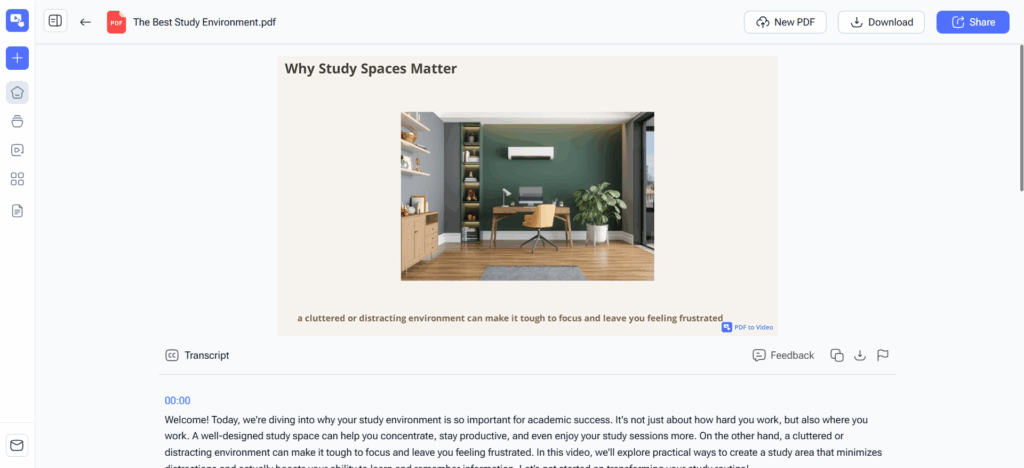
If you’re unsure how to make video essays engaging, experiment with layering visuals, text, and voiceover. I often combine relevant clips, highlighted text, and animated graphics. With PDF to Video, creating these layered sequences is much faster. I can literally focus on storytelling while the tool handles the heavy lifting.
Tips for a Strong Introduction and Conclusion
First impressions matter. A strong opening hooks your audience—ask a provocative question, show a striking image, or start with a quick anecdote. The goal is to make viewers curious about what’s coming next.
Equally important is a solid conclusion. Summarize your points clearly, and leave the audience with a takeaway. Early in my video essay journey, I rushed endings and noticed drop-offs. Now, I structure endings carefully, sometimes previewing them in my script PDF before importing into PDF to Video. This helps me visualize the impact and tweak pacing before final edits.
Reviewing and Polishing Your Video
Even after recording and editing, the work isn’t done. Watch your video multiple times, check for pacing, audio clarity, and visual consistency. Small tweaks—like trimming a pause, adjusting volume, or rearranging clips—can make a huge difference.
One tip I swear by: export a low-res draft, watch it on multiple devices, and get feedback. Using PDF to Video, revisions are painless because I can adjust the PDF script, re-import, and get a new cut in minutes. This method is a game-changer if you’re serious about learning how to make a good video essay efficiently.
Sharing and Promoting Your Video Essay
Choosing the Right Platform
Once your masterpiece is ready, the next step is sharing it. YouTube is the obvious choice, but Vimeo, social media, or niche platforms can work depending on your audience. When I first uploaded my essays, I focused solely on YouTube, but spreading them across platforms increased views and engagement exponentially.
SEO and Metadata Tips
Here’s the part that often gets overlooked: SEO. Titles, descriptions, and tags matter. Use clear titles with your primary keywords, like “How to Make a Video Essay”, and add descriptive tags so your video is discoverable. For descriptions, summarize the key points, include links to your other content, and make sure the first sentence grabs attention. I even include a short line about PDF to Video, which helps beginners understand how I streamlined the creation process.
Engaging Your Audience
Engagement isn’t just about views—it’s about interaction. Encourage comments, ask questions, and respond promptly. In my experience, videos where I actively engage viewers perform better. Ask them about their favorite topics, or how they approach creating video essays. Sharing behind-the-scenes tips, like how I use PDF to Video to save hours of editing, also sparks conversation and credibility.
Conclusion
Making a video essay doesn’t have to be intimidating. With the right approach, tools, and mindset, anyone can create engaging, professional content. Remember the key steps: understand the basics, plan thoroughly, use efficient tools, craft thoughtfully, and share strategically.
Learning how to make a video essay has been a game-changer for me—not just for creating content, but for improving my storytelling and communication skills. Tools like PDF to Video make the process approachable, turning complex scripts into ready-to-edit video sequences in minutes. Whether you’re a student, YouTuber, or hobbyist, this guide gives you a clear path from idea to polished video essay.
So, what are you waiting for? Grab your script, explore your creativity, and start your journey today. By mastering how to make a video essay, you’ll not only share knowledge but also entertain, inspire, and maybe even go viral along the way.